In some cases it may be necessary or simply interesting to find out which version of the VMware Orchestrator is being used during the runtime of an action.
Detect Orchestrator Version
Here approaches to detect the current Orchestator version.
JavaScript
/**
 *
 * @module de.stschnell
 *
 * @version 0.3.0
 *
 * @outputType Properties
 *
 */

// Begin ---------------------------------------------------------------

/**
 * Detects the VCF Automation Orchestrator version.
 *
 * The original code is from Mischa Buijs
 * https://be-virtual.net/vrealize-orchestrator-identifying-version-running/
 *
 * @license MIT
 * @version 0.3.0
 *
 * Checked with VMware Aria Automation 8.12.0, 8.14.0, 8.16.2, 8.18.1,
 * VCF Automation 9.0 and 9.1
 */

var vcoAbout = {};

try {

  const defaultHost = VraHostManager.defaultHostData.vraHost;
  const vcoUrl = defaultHost + "/vco";
  const urlObject = new URL(vcoUrl + "/api/about");
  const response = urlObject.getContent();
  vcoAbout = JSON.parse(response);

  System.log("Version: " + vcoAbout.version);
  System.log("Build number: " + vcoAbout["build-number"]);
  System.log("Build date: " + vcoAbout["build-date"]);
  System.log("API version: " + vcoAbout["api-version"]);

} catch (exception) {
  System.error(String(exception));
}

return vcoAbout;

// End -----------------------------------------------------------------
|
The execution in VCF Automation with JavaScript delivers:
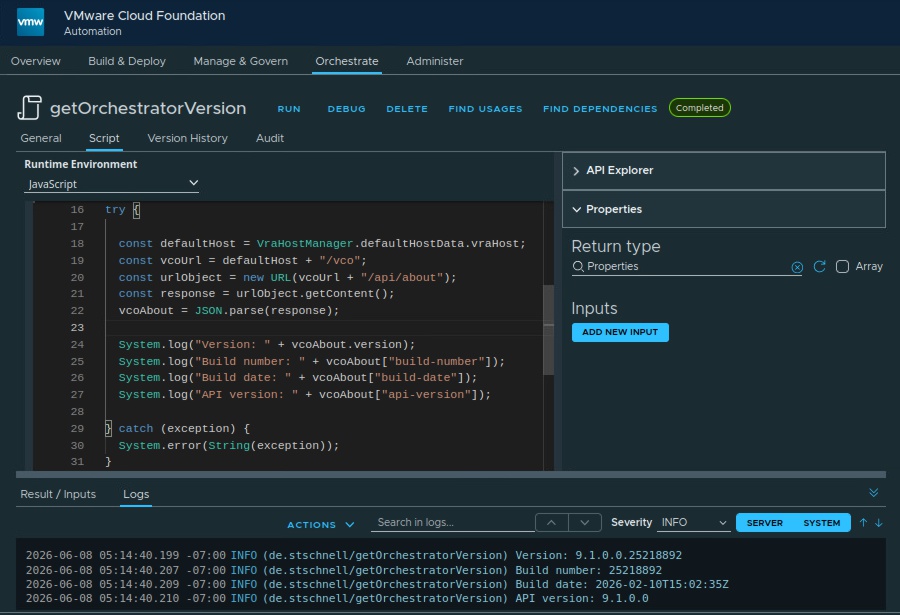
And the result variable contains:
{
  "version": "9.1.0.0.25218892",
  "build-number": "25218892",
  "build-date": "2026-02-10T15:02:35Z",
  "api-version": "9.1.0.0",
  "time-zone": "GMT",
  "id": "302e3835-3839-3936-3337-393431373035",
  "features": []
}
|
Python
"""
@module de.stschnell

@version 0.1.0

@runtime python:3.10

@outputType Properties
"""

# Begin ----------------------------------------------------------------

# Detects the VCF Automation Orchestrator version.
#
# @author Stefan Schnell <mail@stefan-schnell.de>
# @license MIT
# @version 0.1.0
#
# Checked with VMware Aria Automation 8.18.1

import json
import urllib.request

def handler(context: dict, inputs: dict) -> dict:

    outputs: dict = {}
    response: http.client.HTTPResponse | None = None

    try:

        vcoUrl: str = context["vcoUrl"]
        response = urllib.request.urlopen(
            url = vcoUrl + "/api/about"
        )
        vcoAbout: dict = json.loads(response.read().decode("utf-8"))

        print(f"Version: {vcoAbout['version']}")
        print(f"Build number: {vcoAbout['build-number']}")
        print(f"Build date: {vcoAbout['build-date']}")
        print(f"API version: {vcoAbout['api-version']}")

        outputs = {
            "status": "done",
            "error": None
        }

    except Exception as err:
        outputs = {
            "status": "incomplete",
            "error": repr(err)
        }

    finally:
        if response:
            response.close()

    return outputs

# End ------------------------------------------------------------------
|
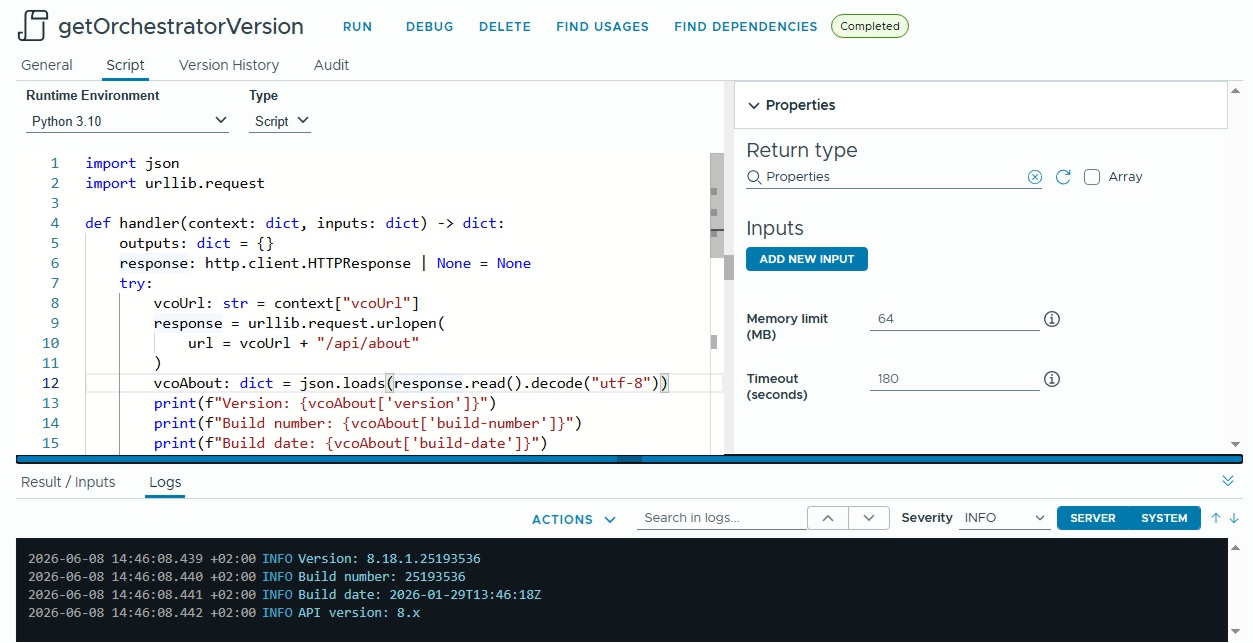
The execution in VCF Automation with Python delivers:
Return Value of REST Request
The call of
https://[yourFqdn]/vco/api/about delivers the following XML:
<ns2:about-info>
  <ns2:build-number>22610007</ns2:build-number>
  <ns2:build-date>2023-10-14T16:17:05Z</ns2:build-date>
  <ns2:version>8.14.0.22610007</ns2:version>
  <ns2:api-version>8.x</ns2:api-version>
  <ns2:time-zone>
    <ID>GMT</ID>
    <rawOffset>0</rawOffset>
  </ns2:time-zone>
  <ns2:features/>
  <ns2:id>302e3139-3630-3532-3337-343132333136</ns2:id>
</ns2:about-info>
|
References