Rhino is an implementation of JavaScript written entirely in Java. It allows to execute JavaScript within the Java Virtual Machine (JVM). Rhino enables interoperability with Java, classes can be instantiated and methods can be called seamlessly in JavaScript code. Also there are no restrictions regarding architecture or operating system, this making Rhino highly portable. This combines the simplicity of the JavaScript programming language with the possibilities of Java. This post describes how to use this approach with Red Hat Ansible.
Use Rhino JavaScript Engine with Ansible
The IT process automation Ansible bases on Python. This enables full automation implementations, extensions with other programming languages seems not to be truly necessary. But what if automation approaches already exists? VMware Cloud Foundation (VCF) Automation has been long offering the ability to perform infrastructure automation based on the Rhino JavaScript engine. If now a combination of data center automation (with VCF Automation) and IT process automation (with Ansible) is to be implemented, it could makes sense to reuse existing JavaScript implementations. Sure, not every namespace or object, especially those of the Dunes framework, can be reused unchanged, but a basic approach can. This is reason enough to take a look at using the Rhino JavaScript engine with Ansible.
Files
.
├── files
│   ├── bellsoft-jre17.0.17+15-linux-amd64.tar.gz
│   ├── bellsoft-jre17.0.17+15-linux-ppc64le.tar.gz
│   ├── helloWorld.js
│   ├── rhino-all-1.9.0.jar
│   └── system.class.js
├── rhinoHelloWorld.yml
├── setupJavaEnvironment.yml
└── teardownJavaEnvironment.yml
|
The necessary Java runtime environment (JRE), the Rhino Java archive (JAR), an emulation of the VCF Automation system namespace and the JavaScript code are stored in the files subdirectory. In this example the
Bellsoft Liberica JRE version 17 LTS is used. The same runtime environment with the same major release is also used in VCF Automation. And of course the
Rhino JavaScript engine 1.9.0 is required, but the current release is used here, VCF Automation 9.01 uses 1.7.15. VCF Automation offers in its JavaScript runtime environment a system namespace with many useful functions. To use this in other contexts, an
emulation of the system namespace is available. The JavaScript code is shown in the following listing.
helloWorld.js
The JavaScript code is very easy, it contains the namespace _helloWorldNS with a main function. At first in the main function the stream from the standard input (stdin) is read. Then various variables are assigned as examples. Finally the return value is defined in JSON format. The return itself is performed using the print function and the return object in JSON format is converted into a character string.
Hint: The detour via the JSON format was taken to show an easier way of code substitution between VCF Automation and Ansible. It bases on the code templates of the VCF Automation execution environments. This can also be implemented on other ways.
load("/tmp/system.class.js");

var _helloWorldNS = {

    main : function() {

        var output = null
        var outputs = {}

        try {

            // Reads the input from the playbook command module args stdin
            const inputs = JSON.parse(
                java.lang.String(
                    java.lang.System.in.readAllBytes(),
                    java.nio.charset.StandardCharsets.UTF_8
                )
            );

            const name = inputs.in_name
            const rhinoVersion = System.getRhinoVersion();

            if (name) {
                output = "Hello " + name + " from Rhino " + rhinoVersion;
            } else {
                output = "Hello World from Rhino " + rhinoVersion;
            }

            outputs = {
                "status": "done",
                "error": null,
                "result" : output
            }

        } catch(error) {

            outputs = {
                "status": "incomplete",
                "error": error,
                "result": output
            }

        }

        // Writes the output to the playbook command register variable
        System.print(JSON.stringify(outputs));

    }

}

_helloWorldNS.main();
|
Playbooks
Below the Ansible playbooks that perform the necessary preparations and execution.
rhinoHelloWorld.yml
This playbook prepares the Java environment and copies the JavaScript file to the temporary directory. Then it executes the JavaScript code, passes the input and saves the output. Finally it deletes the JavaScript file and dismantles the Java environment.
---

# Example playbook to show how to use JavaScript on a managed node,
# with the Rhino engine.
# Execute it with one of the commands:
# ansible-playbook rhinoHelloWorld.yml -e in_stdin="{\"in_name\":\"Stefan\"}"
# ansible-playbook rhinoHelloWorld.yml -e in_name=Stefan
# ansible-playbook rhinoHelloWorld.yml
#
# @author Stefan Schnell <mail@stefan-schnell.de>

- name: Copy and extract Java runtime environment and invoke Rhino JavaScript
  hosts: localhost
  gather_facts: true

  tasks:

    - name: Set standard input, depending on the input parameter
      ansible.builtin.set_fact:
        stdin: >-
          {% if in_name is defined and in_name != None and in_name != "" %}
            {"in_name":"{{ in_name }}"}
          {% elif in_stdin is defined and in_stdin != None and in_stdin != "" %}
            {{ in_stdin }}
          {% else %}
            {"in_name":""}
          {% endif %}

    # - name: Set standard input
    #   ansible.builtin.set_fact:
    #    _in_stdin: "{\"in_name\":\"{{ in_name }}\"}"

    - name: Setup Java environment
      ansible.builtin.include_tasks:
        file: setupJavaEnvironment.yml

    - name: Write JavaScript file
      with_items:
        - helloWorld.js
      ansible.builtin.copy:
        src: "{{ item }}"
        dest: /tmp/{{ item }}
        mode: "0664"

    - name: Main
      block:

        - name: Invoke Java class
          register: java_result
          changed_when: false
          args:
            # stdin: >-
            #   {
            #     "in_name": "Stefan"
            #   }
            stdin: "{{ stdin | string }}"
          ansible.builtin.command:
            cmd: |
              /tmp/jre-17.0.17/bin/java
              -cp .:/tmp:/tmp/rhino-all-1.9.0.jar
              org.mozilla.javascript.tools.shell.Main
              /tmp/helloWorld.js

        - name: Print raw JSON
          ansible.builtin.debug:
            var: java_result.stdout

        - name: Parse JSON output to Ansible dict
          ansible.builtin.set_fact:
            parsed_result: "{{ java_result.stdout | from_json }}"

        - name: Print the message
          ansible.builtin.debug:
            msg: "{{ parsed_result.result }}"

    - name: Delete JavaScript file
      with_items:
        - helloWorld.js
      ansible.builtin.file:
        path: /tmp/{{ item }}
        state: absent

    - name: Teardown Java environment
      ansible.builtin.include_tasks:
        file: teardownJavaEnvironment.yml
|
setupJavaEnvironment.yml
This playbook copies the Java runtime environment, depending on the target architecture, to the temporary directory of the managed node and extracts it. Also it copies the Rhino Java archive and the system namespace emulation to the temp folder.
---

- name: Setup Java environment
  any_errors_fatal: true
  block:

    - name: Write Java runtime environment (JRE) - x86_64
      when: ansible_facts.architecture == "x86_64"
      ansible.builtin.copy:
        src: bellsoft-jre17.0.17+15-linux-amd64.tar.gz
        dest: /tmp/bellsoft-jre17.0.17+15-linux.tar.gz
        mode: "0664"

    - name: Write Java runtime environment (JRE) - ppc64le
      when: ansible_facts.architecture == "ppc64le"
      ansible.builtin.copy:
        src: bellsoft-jre17.0.17+15-linux-ppc64le.tar.gz
        dest: /tmp/bellsoft-jre17.0.17+15-linux.tar.gz
        mode: "0664"

    - name: Unpack JRE
      ansible.builtin.unarchive:
        src: /tmp/bellsoft-jre17.0.17+15-linux.tar.gz
        dest: /tmp

    - name: Write files
      with_items:
        - rhino-all-1.9.0.jar
        - system.class.js
      ansible.builtin.copy:
        src: "{{ item }}"
        dest: /tmp/{{ item }}
        mode: "0664"
|
teardownJavaEnvironment.yml
This playbook deletes all copied files and created directories on the managed node - it cleans up.
---

- name: Teardown Java environment
  block:

    - name: Delete files and folder
      with_items:
        - system.class.js
        - rhino-all-1.9.0.jar
        - bellsoft-jre17.0.17+15-linux.tar.gz
        - jre-17.0.17
      ansible.builtin.file:
        path: /tmp/{{ item }}
        state: absent
|
Execution
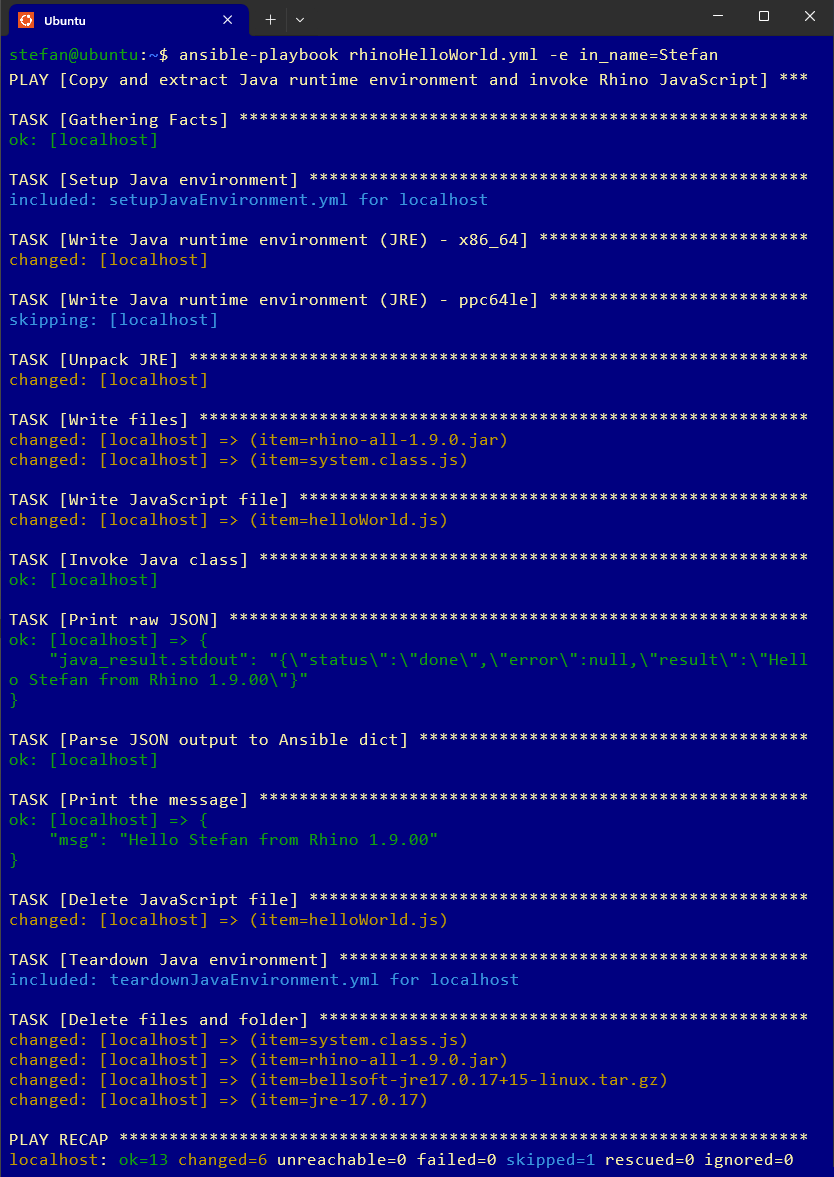
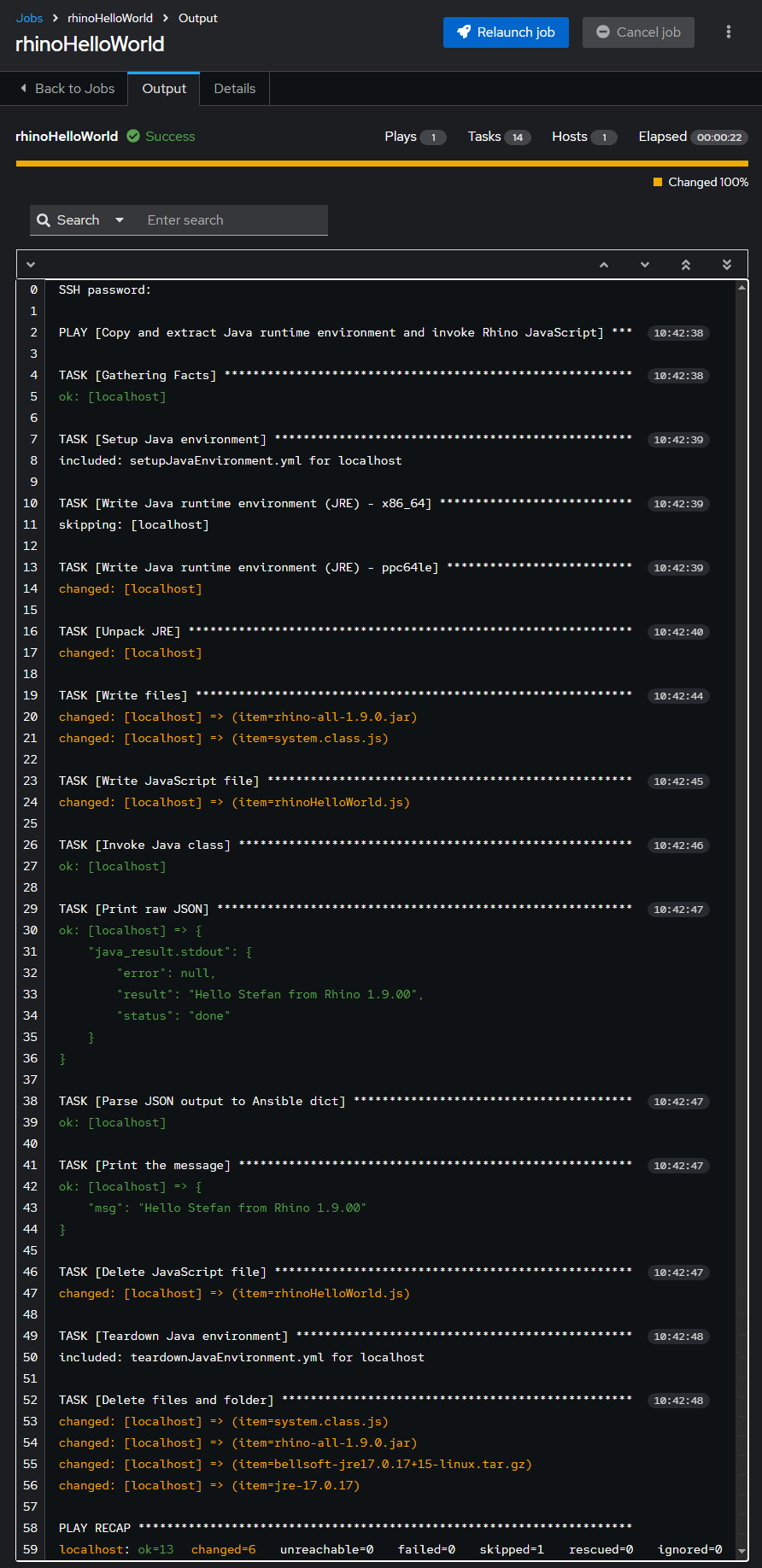
Below a log with the result of the playbook execution.
stefan@ubuntu:~$ ansible-playbook rhinoHelloWorld.yml -e in_name=Stefan

PLAY [Copy and extract Java runtime environment and invoke Rhino JavaScript] ***

TASK [Gathering Facts] *********************************************************
ok: [localhost]

TASK [Setup Java environment] **************************************************
included: setupJavaEnvironment.yml for localhost

TASK [Write Java runtime environment (JRE) - x86_64] ***************************
changed: [localhost]

TASK [Write Java runtime environment (JRE) - ppc64le] **************************
skipping: [localhost]

TASK [Unpack JRE] **************************************************************
changed: [localhost]

TASK [Write files] *************************************************************
changed: [localhost] => (item=rhino-all-1.9.0.jar)
changed: [localhost] => (item=system.class.js)

TASK [Write JavaScript file] ***************************************************
changed: [localhost] => (item=helloWorld.js)

TASK [Invoke Java class] *******************************************************
ok: [localhost]

TASK [Print raw JSON] **********************************************************
ok: [localhost] => {
    "java_result.stdout": "{
      \"status\":\"done\",
      \"error\":null,
      \"result\":\"Hello Stefan from Rhino 1.9.00\"
    }"
}

TASK [Parse JSON output to Ansible dict] ***************************************
ok: [localhost]

TASK [Print the message] *******************************************************
ok: [localhost] => {
    "msg": "Hello Stefan from Rhino 1.9.00"
}

TASK [Delete JavaScript file] **************************************************
changed: [localhost] => (item=helloWorld.js)

TASK [Teardown Java environment] ***********************************************
included: teardownJavaEnvironment.yml for localhost

TASK [Delete files and folder] *************************************************
changed: [localhost] => (item=system.class.js)
changed: [localhost] => (item=rhino-all-1.9.0.jar)
changed: [localhost] => (item=bellsoft-jre17.0.17+15-linux.tar.gz)
changed: [localhost] => (item=jre-17.0.17)

PLAY RECAP *********************************************************************
localhost: ok=13 changed=6 unreachable=0 failed=0 skipped=1 rescued=0 ignored=0
|
VCF Automation
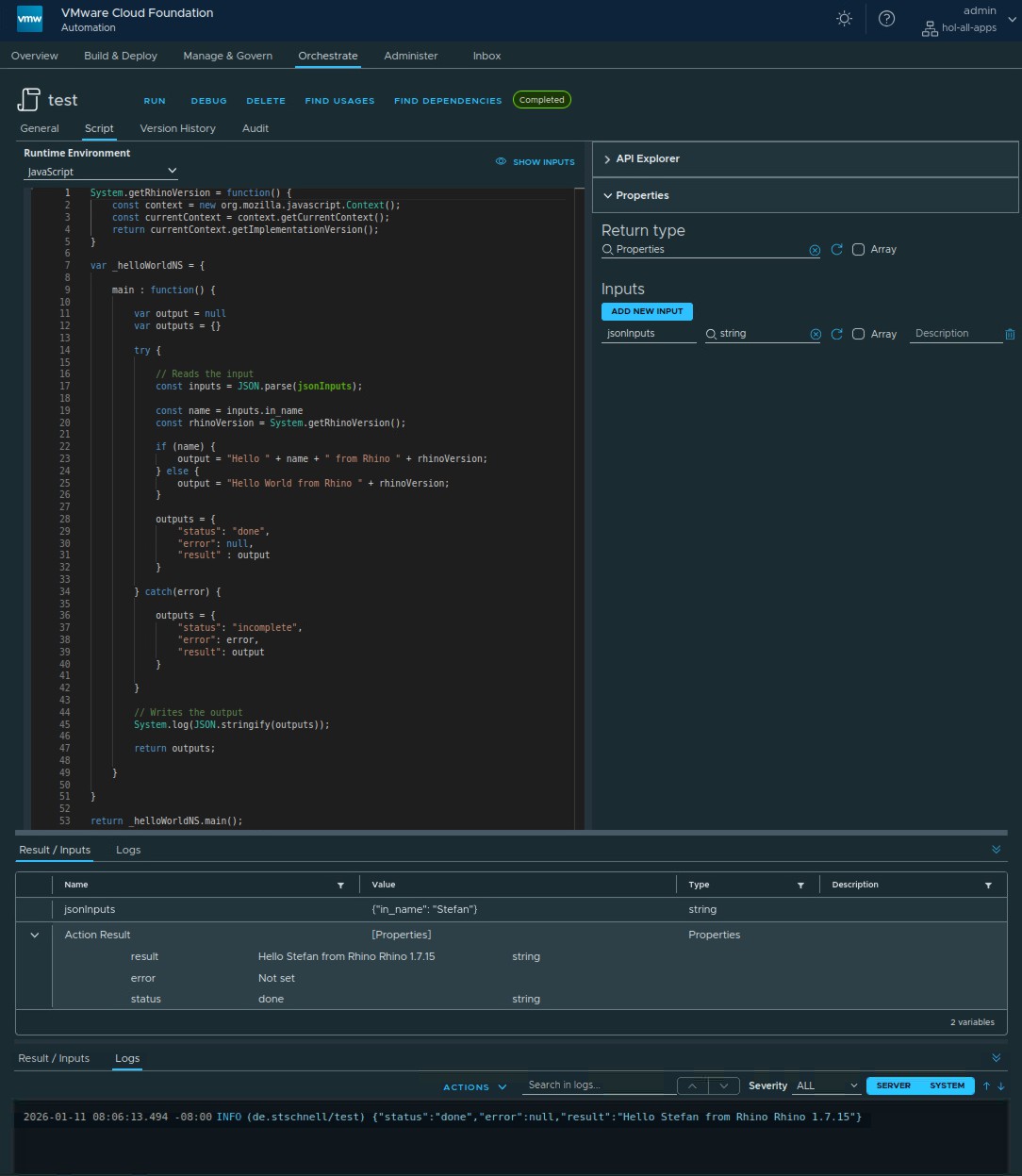
The following image shows the JavaScript code in VCF Automation, with a few minor modifications at input and output.
Conclusion
Using the Rhino JavaScript engine with Ansible is easy to implement. After providing the necessary files as preparatory steps, the JavaScript code can be easily executed. This approach offers the possibility to use VCF Automation's JavaScript on a similar way in Ansible. This allows existing infrastructure automation code to be partially reused.
References